

Websites today have to do more than look good. They need to work hard for the business behind them. Visitors expect fast load times, clear navigation, and content that feels relevant to their needs. When those expectations are not met, people leave. That is where AI web design is making a real difference.
AI-powered tools help businesses create smarter websites by learning how users behave and adjusting the experience to guide them toward action. Instead of relying on guesswork, AI allows web design decisions to be based on real data, a core principle of data-driven marketing. The result is better user experience, higher engagement, and stronger conversion rates.
This article explains what AI web design is, how AI UX tools improve website performance, and why these technologies matter for businesses that want better results from their digital presence.
AI web design uses artificial intelligence to improve how websites are built, tested, and optimized. These tools study how users interact with a website and then suggest or apply changes to improve performance.
Traditional web design often depends on opinions or limited data. AI web design, on the other hand, uses behavior patterns, learning systems, and predictive analysis similar to approaches used in broader AI in digital marketing strategies. This allows websites to improve over time instead of staying the same after launch.
Common uses of AI web design include:
The goal is not to replace designers or marketers. AI supports them with faster insights and clearer direction, much like AI supports content teams through AI content optimization.
User experience, or UX, is how easy and enjoyable a website is to use. If users struggle to find information, fill out forms, or understand next steps, they are unlikely to convert.
AI web design helps improve UX by identifying problems that may not be obvious at first glance. AI tools track clicks, scrolling behavior, time on page, and other signals to show how real people use a site.
This leads to better decisions, such as:
A better UX keeps users engaged longer and increases the chance they will take action. These improvements align closely with established web design best practices, but with far better data behind them.
User experience plays a major role in how well a website performs. Even small frustrations, like confusing navigation or hard-to-find buttons, can cause visitors to leave before taking action. AI UX tools help businesses identify these problems by showing exactly how users interact with a website and where improvements are needed. This behavioral focus mirrors how AI supports audience understanding in areas like how to use AI for personalization.
Instead of guessing what might be wrong, AI UX tools analyze real behavior data and turn it into clear insights. This allows teams to make smarter updates that improve usability, engagement, and conversions.
AI UX tools focus on understanding how people actually use a website, not how designers or marketers think they use it. These tools collect and analyze large amounts of data from real users, then look for patterns and trends that would be difficult to spot manually.
By studying user behavior, AI UX tools help answer important questions like:
AI UX tools can reveal detailed insights about how visitors interact with your site, including:
These insights allow businesses to focus on fixing real problems instead of making changes based on opinions or assumptions.
When businesses understand how users behave, they can improve website performance in meaningful ways. AI UX tools make it easier to see what is working and what needs attention.
With AI-driven insights, teams can:
Each improvement strengthens the website’s role in the marketing funnel, especially when aligned with marketing funnel stages.
One of the biggest benefits of AI UX tools is that they remove guesswork from decision-making. Instead of debating what might work, teams can rely on real data.
AI UX tools help businesses:
This mirrors how AI improves performance testing across channels, similar to how AI assists with prompt engineering basics by refining inputs for better outputs.
Conversions happen when users feel comfortable, confident, and guided through a website. AI UX tools help remove obstacles that slow users down or push them away.
By improving usability, AI UX tools help:
When websites are easier to use, users are more likely to fill out forms, make purchases, or contact a business. This approach complements broader CRO and SEO efforts, especially when paired with platforms like WordPress SEO that works.
No. AI UX tools support designers and developers by providing better data. Human expertise is still needed to interpret insights and apply them in a strategic way.
No. Many AI UX tools are designed for small and mid-sized businesses and can scale as the company grows.
Some insights are available almost immediately. Small changes based on AI data can lead to noticeable improvements in engagement and conversions within weeks.
Most modern AI UX tools are built with easy-to-use dashboards and visual reports, making them accessible even for non-technical teams.
AI UX tools give businesses a clearer picture of how users experience a website. By studying real behavior instead of assumptions, these tools help teams improve usability, reduce friction, and increase conversions in a practical and measurable way. The result is a website that performs better, supports business goals, and delivers a stronger experience for every visitor.
Many users expect websites to feel personal. AI web design makes this possible without adding extra work for marketing teams.
AI can adjust content based on things like:
For example, a first-time visitor might see educational content, while a returning visitor may see a stronger call to action. These changes happen automatically and help guide users toward the next step.
Personalized experiences often lead to:
This personalization approach builds on concepts discussed in AI brand voice tools and helps ensure consistency even as experiences adapt.
Testing is important, but traditional A/B testing can be slow. AI-powered testing tools speed up the process by learning which designs perform better in real time.
AI tools can:
This means websites keep improving without waiting weeks or months for results. Over time, this creates compounding gains, similar to how AI supports continuous improvement in SEO agency tactics.
Website accessibility means making sure a website can be used by everyone, including people with visual, motor, or cognitive challenges. When a website is accessible, users can navigate it easily, read content clearly, and interact without frustration. Accessibility is not just about compliance, it is about creating a better experience for all visitors.
AI web design tools help businesses improve accessibility by identifying problems early and suggesting practical fixes. Instead of manually reviewing every page, AI can scan a website quickly and consistently, helping teams address issues before they affect users.
These capabilities reinforce best practices found in responsive web design and contribute to better overall UX.
Accessible websites are easier to use, easier to navigate, and more welcoming to a wider audience. When accessibility is ignored, users may struggle to complete basic tasks or leave the site entirely.
Improving accessibility helps businesses:
AI tools make this process faster and more reliable.
AI-powered tools analyze websites using accessibility standards and real user behavior. They can detect issues that may not be obvious during manual reviews and provide guidance on how to fix them.
AI web design tools can help with several key accessibility areas, including:
These improvements help ensure users can interact with a website regardless of ability or device.
Better accessibility often leads to better performance for everyone, not just users with disabilities. When content is clear and navigation is simple, all users benefit.
Improved accessibility can lead to:
AI web design tools help connect accessibility improvements to measurable business results.
Accessibility is also important for meeting recognized web standards. AI tools help businesses stay aligned with accessibility best practices by flagging issues before they become larger problems.
While AI does not replace human review, it helps teams:
This proactive approach saves time and reduces risk over the long term.
Some AI tools can make automatic improvements, but most provide recommendations. Human review is still important to ensure changes align with brand guidelines and user needs.
No. Accessibility matters for all industries. Any website with users can benefit from improved usability and clarity.
In most cases, accessibility improvements enhance design rather than hurt it. Clear text, strong contrast, and simple navigation often improve visual appeal.
Many issues can be identified quickly using AI tools. Simple fixes may take only a short time to implement and can have an immediate impact.
Using AI to improve website accessibility helps ensure digital experiences work for everyone. AI web design tools make it easier to identify and address accessibility issues related to readability, navigation, screen readers, and device responsiveness.
By improving accessibility, businesses create websites that are easier to use, more engaging, and more effective overall. These improvements benefit all users and support stronger long-term website performance.
Conversions are actions that matter to a business, such as form submissions, phone calls, or purchases. AI web design supports conversion rate optimization by making it easier for users to take those actions.
AI helps by:
When combined with SEO, PPC, and analytics, AI web design supports a more unified system, similar to the concept of digital harmony.
AI web design works best when it is part of a larger digital marketing plan. When combined with SEO, paid ads, and analytics, AI helps make every channel work better together.
For example:
This connected approach helps business leaders see how design changes impact real results, not just website activity.
AI will continue to play a larger role in web design. Future tools will likely offer even more personalization, automation, and predictive insights.
Businesses that adopt AI web design early will be better positioned to adapt, compete, and grow in a changing digital landscape.
AI web design gives businesses a smarter way to improve user experience and increase conversions. With the help of AI UX tools, websites can learn from real user behavior and make meaningful improvements over time.
For companies that want clear results from their digital marketing, AI-powered web design is no longer optional. It is a practical way to create better experiences and drive growth.
If you want to learn how AI-driven web design can support your business goals, contact THAT Agency for more information or explore our web design services to see how strategy and performance work together.

What Is Organic Traffic? (Complete Beginner Guide)
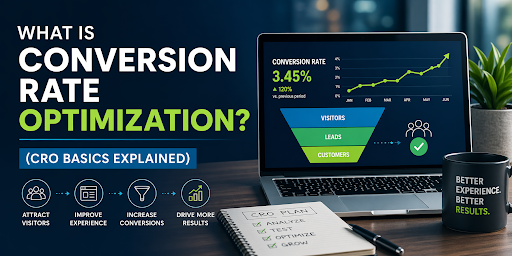
What Is Conversion Rate Optimization? (CRO Basics Explained)
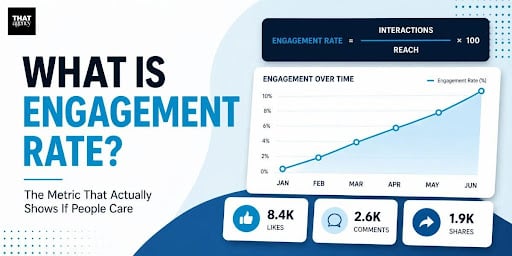
What Is Engagement Rate? (Marketing Metric Explained)

How to Appear in ChatGPT Answers: Understanding AI Citation Signals
AI-Generated SEO Content at Scale: Why Output Without Strategy Damages Authority

700 S. Rosemary Ave.
Suite 204-707
West Palm Beach, FL 33401
P: 561.832.6262
F: 561.832.7707


